Introduction:
JioCinema is a popular Indian streaming platform offering movies, TV shows, and live sports. Despite its extensive content library, the app struggled with clunky navigation, restrictive login options, lack of user onboarding, and an unintuitive video content screen, leading to a frustrating user experience. This case study focuses on redesigning these key problem areas to enhance usability and engagement.
Problem Statement:
JioCinema’s user experience had several pain points:
Cluttered home screen – Overwhelming UI with poor content discoverability.
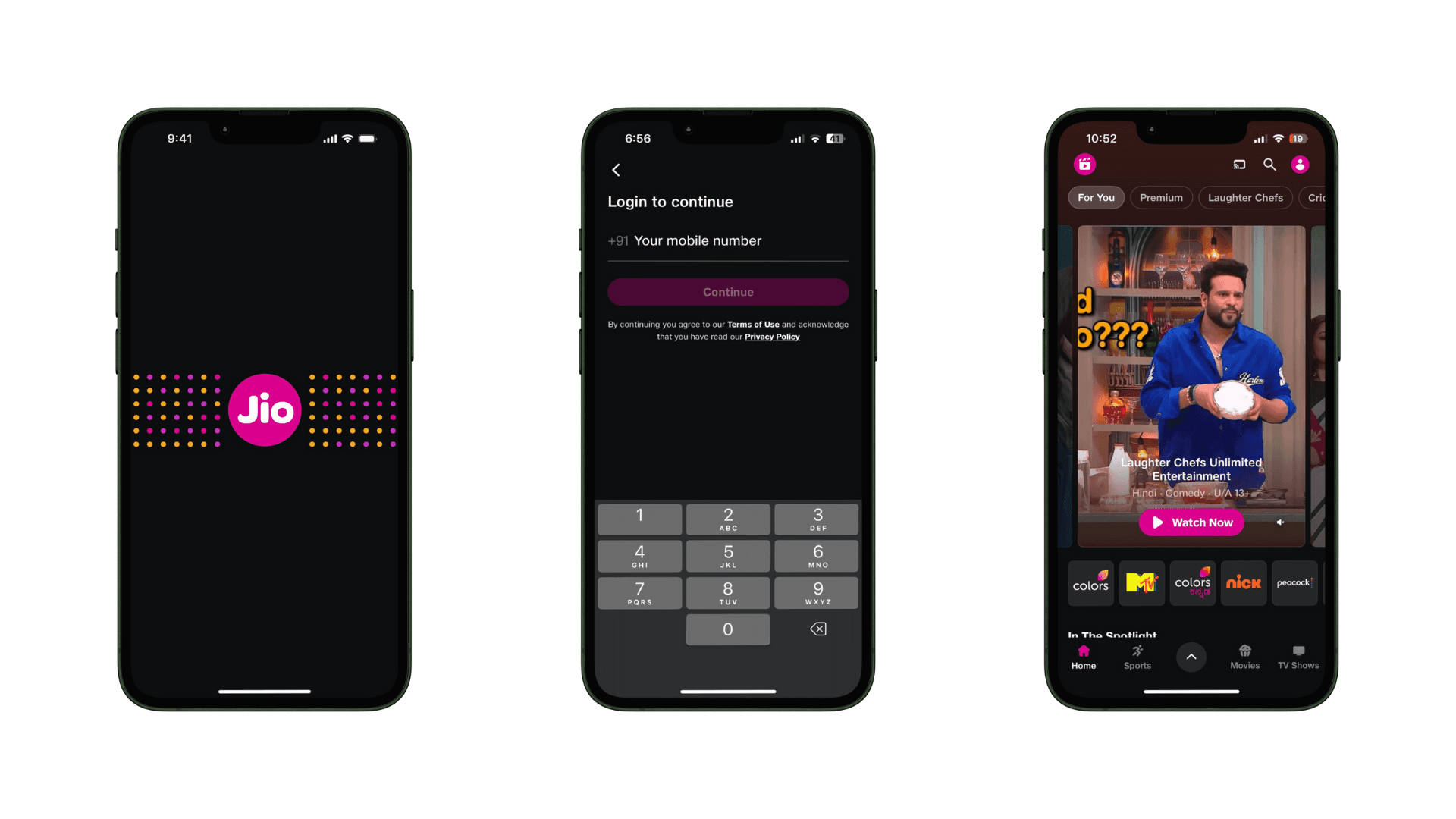
Restrictive login process – Only phone number login was allowed, limiting flexibility.
No walkthrough screens – First-time users lacked guidance on features and navigation.
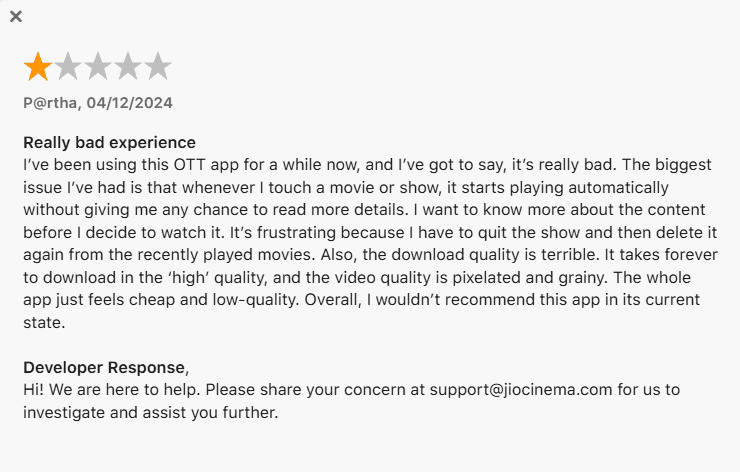
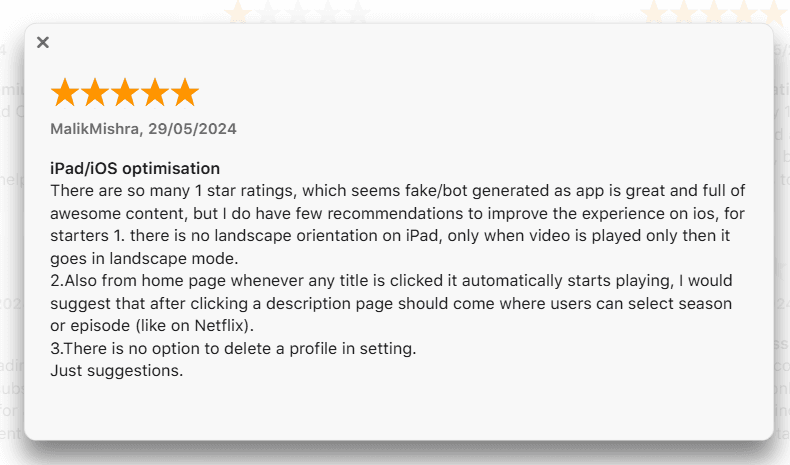
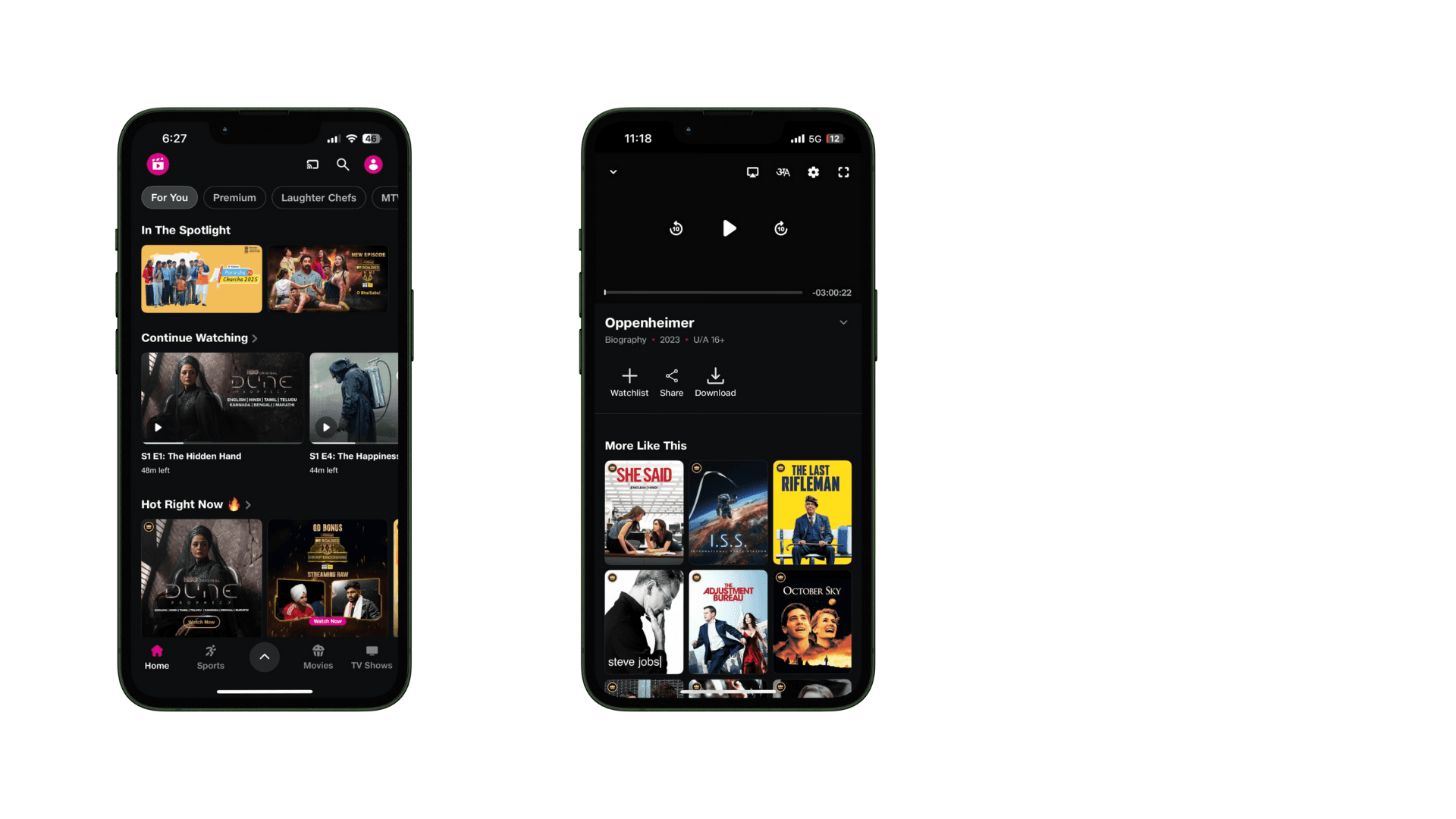
Auto-playing content – Clicking on a thumbnail immediately started playback without any preview or details.
Goals & Objectives:
Improve home screen usability for better content browsing.
Enhance login flexibility by adding multiple authentication options.
Introduce walkthrough screens to improve onboarding.
Provide content previews before playback for informed decision-making.
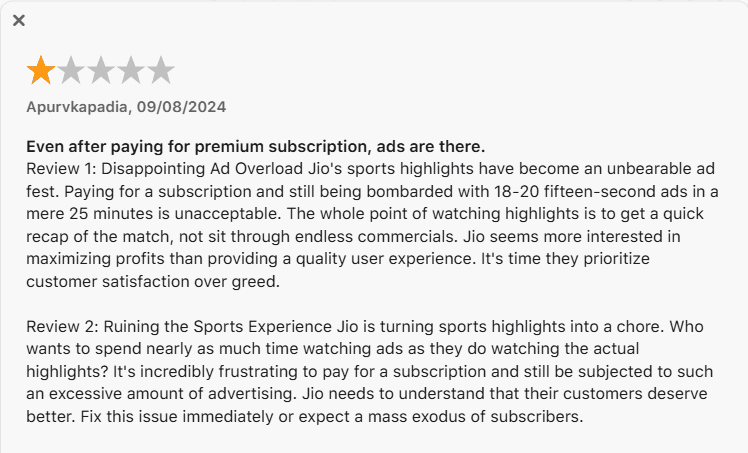
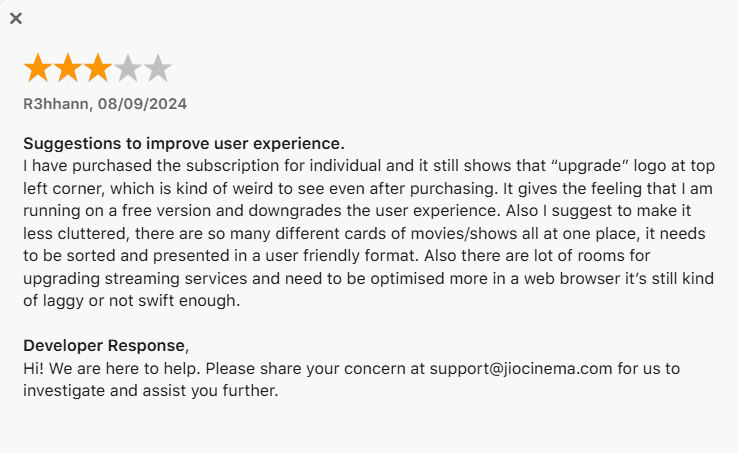
What the users of JioCinema have to say:
Key UX Issues & Redesign Solutions:
Problem: Restrictive Login Options
Issue: Only phone number login was available, causing friction for users who preferred other sign-in methods.
Solution:
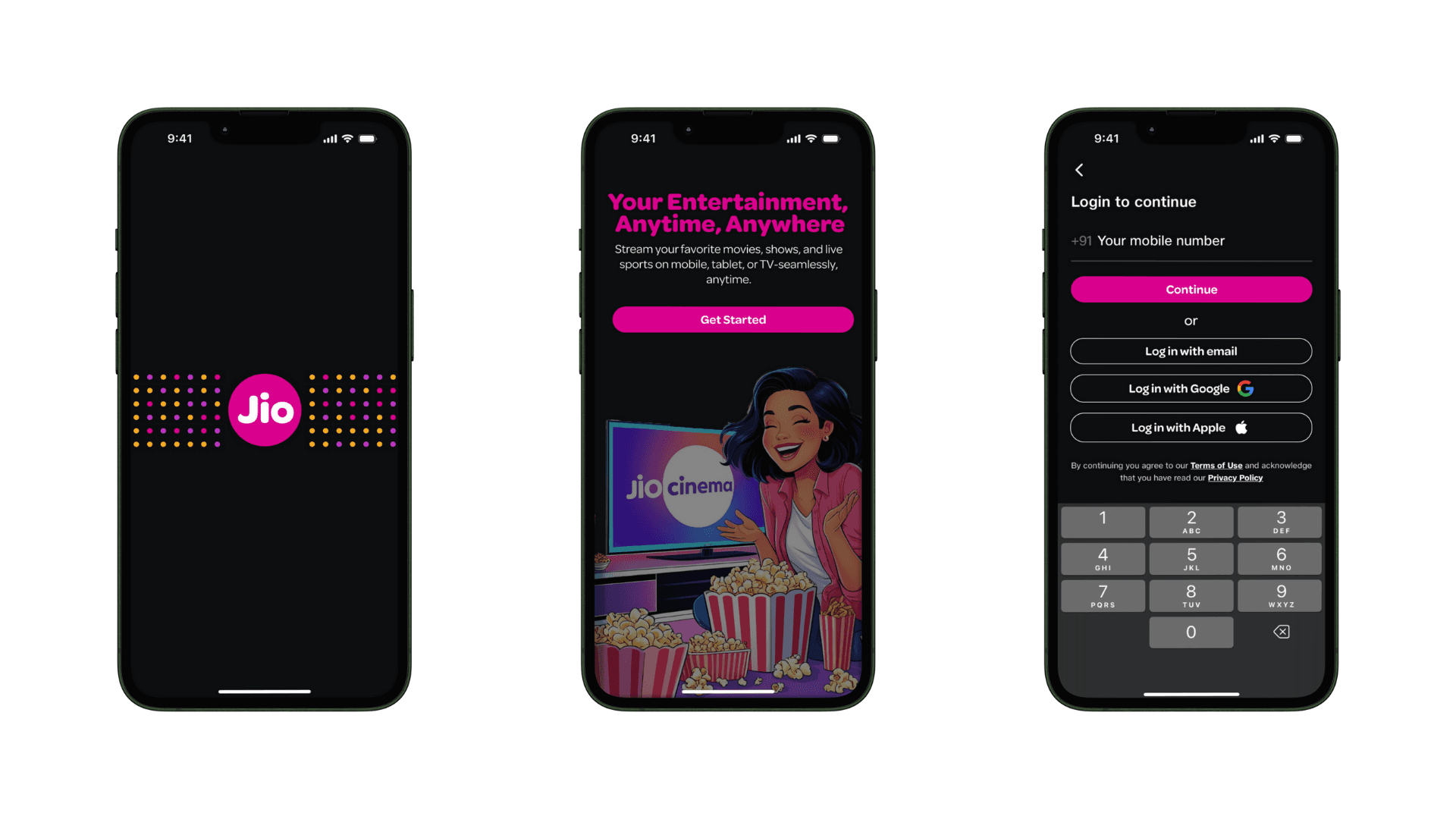
Added email and social media login options for seamless access.
Introduced guest mode for content browsing without mandatory login.
Problem: No Walkthrough Screens
Issue: First-time users were not guided through app features, making navigation difficult.
Solution:
Step-by-step onboarding screens highlighting key features like multi-device streaming, language selection, and watchlists.
Skip option for returning users who don’t need onboarding.
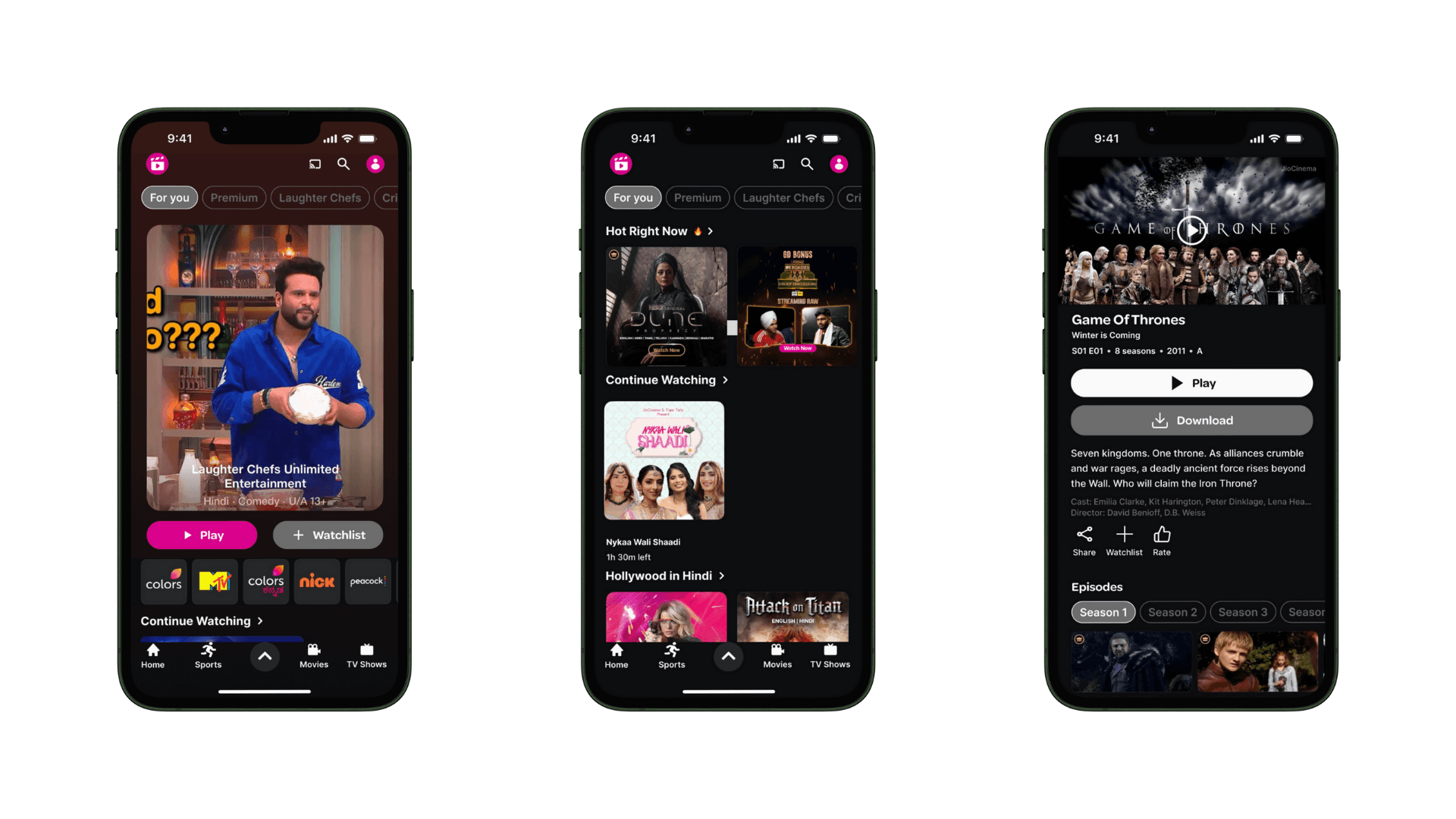
Problem: Cluttered Home Screen
Issue: Overwhelming UI with excessive banners, disorganized content, and lack of personalization.
Solution:
Simplified layout with categorized sections for easy browsing.
Personalized recommendations based on user watch history.
Better visual hierarchy with clearer thumbnails and reduced clutter.
Problem: Auto-Playing Content Without Preview
Issue: Clicking on a movie/show thumbnail immediately started playback, giving no details about the content.
Solution:
Added a content preview screen with title, description, cast, and trailer before playback.
Introduced "Play" and "Preview" buttons for better control over playback.
JioCinema Before:
JioCinema After:
Key Takeaways:
Simplicity enhances usability – Removing clutter improves navigation.
User control is key – Letting users choose when to play content enhances satisfaction.
Guidance matters – A simple walkthrough can improve first-time user experience.